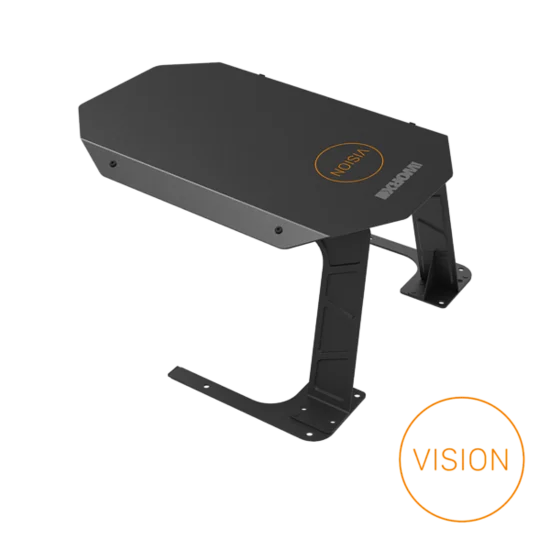
Landroid Vision AI - For lawns up to 1300 m2



Advanced AI lawn awareness robot mower. Unbox and mow in minutes. No mapping required. Ideal for single-zone lawns
Deeply trained neural network identifies grass and obstacles
No boundary wire installation, no maintenance, no hassle
Obstacle avoidance, instant reaction within 0.05 seconds
Full HD wide angle camera with HDR and auto-white balance to handle extreme contrast and flares
Weather-adaptive auto-schedule
Easy multi-zone management
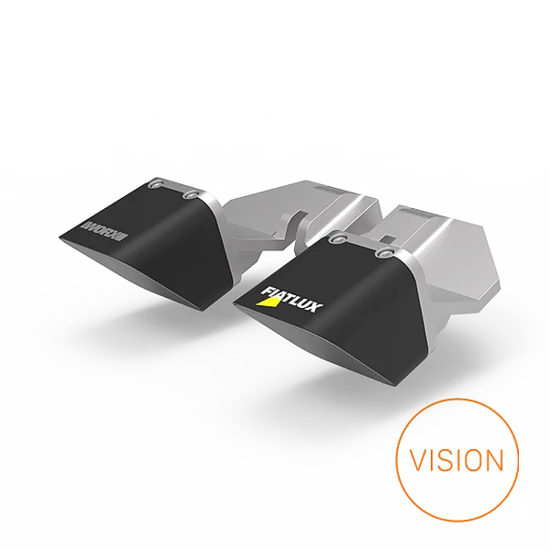
Optional LED headlight enables night mowing without hurting wildlife
Automatic Over-the-Air software updates
Where to buy


- Overview
- Key features
- Specs & Manual
- In the box
Product description
Pioneering robotic mowing powered solely by vision AI, Landroid Vision was the first mower designed to navigate without RTK, LiDAR, or perimeter wires. Refined through millions of real-world operating hours, its intelligence continues to evolve with every update.
Instead of relying on boundary wires or satellite positioning, Vision AI analyzes your lawn in real time and autonomously decides where to mow. It navigates naturally around grass edges, obstacles, fallen leaves and landscaping features such as stepping stones, distinguishing between flat and raised borders for a clean, precise finish.
Its non-linear mowing pattern avoids artificial striping, creating a more natural, luxurious lawn appearance — the look preferred by most European homeowners.
Built for true unbox-and-mow simplicity, Vision requires no mapping and no perimeter installation. Simply place it on the lawn and let AI take control. Continuous over-the-air updates ensure Vision keeps improving over time.
Key features
- No installation: just drop it on your lawn and push the button
- Deeply trained neural network determines grass to mow, obstacles to avoid and limits not to cross
- Full HD wide angle camera with HDR and auto-white balance to handle extreme contrast and flares
- Superior obstacle avoidance and extra safety for pets, wildlife and humans
- Auto-schedule automatically adapts working time to weather, grass species and soil type
- Multi-zone management
- Optional LED headlight for night mowing with no danger for nocturnal animals
- Powered by PowerShare battery, shareable with all Worx cordless tools
Technical specifications and manual
Battery & Charger
Battery Type
Li-Ion
Battery Capacity
4 Ah
Charging Current
3 A
Power supply
20 V Max
Basic Specifications
Maximum lawn size
1300 m²
Maximum slope
30 %
Noise level
59 dB
Water hose washable deck
✓
Rain sensor
✓
Cutting height positions
7
Laser battery model no.
WA3014
User interface
Landroid app
✓
Connectivity
Bluetooth
✓
Wi-Fi
✓
Weight & Dimensions
Product depth
638 mm
Product height
265 mm
Product width
487 mm
Weight without Battery
15.1 kg
Cutting
Cutting width
22 cm
Cutting height, adjustable
30 mm / 60 mm
Multi-zone management
✓
Cut-to-Edge
✓
Self-leveling blade disc
✓
Cutting height adjustment
Electronic
Software updates and upgrades
Over-the-Air
✓
Via USB
✓
In the box
- Worx Landroid Vision L1300 (1)
- Charging base (1)
- Charging pile (1)
- Battery (1)
- Charger (1)
- x2 5m magnetic strips (1)
- Pegs (14)
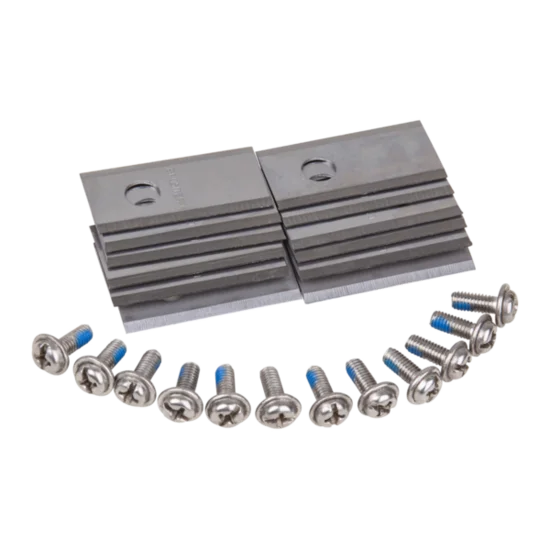
- Spare blades (9)
- Screws (14)
- Hex key (1)
- x2 RFID tags (2)
- Charging Station (1)
- 20V 4Ah Battery (1)
- 5 m magnetic strips (1)
- Pegs (16)
The world’s #1 robot mower
Join over 1.5 million happy users with the world’s top-selling1 robotic mower for 4 years in a row. Invest in the award-winning performance that your lawn deserves.

The more often, the better
Turfgrass experts agree—the key to a lush, healthy lawn is frequent mowing. Let Vision AI handle it, and you’ll have the best lawn you’ve ever had. In just weeks.
Shine or shade, Vision AI sees the way
Large canopies block satellite signals, reducing positioning accuracy in RTK-based mowers. Vision AI doesn’t rely on satellites—it navigates your lawn with confidence under any cover.
Nothing is better
Vision AI doesn’t need boundary wires, RTK antennas or radio beacons. Its advanced artificial intelligence is all your lawn needs.
No hardware in your place
RTK base stations send correction data via radio waves—but they don’t penetrate buildings. That means you might need multiple antennas to cover your property.

The cognitive robot
Landroid Vision’s deeply trained neural network determines grass to mow, obstacles to avoid and limits not to cross.

Pro tip: mow after dark
On hot summer days, turf experts recommend mowing at night to reduce stress and moisture loss. With the FiatLux headlight¹, Vision AI mows quietly and safely—so you wake up to a perfect lawn.

Active safety
Most robot mowers blindly bump into obstacles. It may not matter with furniture or trees, but when it comes to pets, wildlife, and people—it does. Vision AI sees and reacts, ensuring real safety.
Winner of the European Commission's Product Safety Award (2021), Worx Landroid leads the way in protecting hedgehogs and other nocturnal wildlife.
What if your lost belonging isn't on the list?
Competitors claim their cameras can recognize tens—or even hundreds—of objects. Vision AI’s neural network goes further: it identifies and respects anything that’s not grass or leaves.
Understanding your garden
Landroid Vision AI navigates the intricate beauty of stepping stones, ensuring no blade of grass is left behind.
Vision-crafted edges
Vision AI intelligently follows hardscape borders for seamless, manicured edges every time.
Quality in every detail
Most robot mowers use hard plastic caster wheels that rattle on hard surfaces. Vision AI’s rubberized rear wheel glides smoothly and quietly for a premium mowing experience.

No setup needed
Just set Landroid Vision on your lawn, push the button, and watch it do its thing.
No boundary wire. No antenna. No hassle.
Vision's window to the world
Landroid Vision AI sees the world through its high dynamic range, full HD wide-angle camera with auto-white balance—designed to handle extreme contrast, glare, and ever-changing lighting conditions.
Learning through direct experience
Landroid Vision AI continuously learns from real-world experience, adapting to new environments beyond lab testing. Its evolving intelligence is seamlessly delivered to all units through over-the-air updates.
Worried about theft?
Protect your Vision with the Find My Landroid module¹. If moved outside your property, it disables the mower and alerts you instantly. Track it anytime, right from your phone.
Future-proof
No matter how many millions of images train Vision AI’s deep learning, unexpected scenarios will arise. No worries—Over-the-Air updates keep it ready for anything.
From information to understanding
Vision AI’s neural network continuously analyzes what it sees, understanding objects in real-time to navigate safely and mow smartly.
Brainpower
Vision AI’s chip is engineered for stability, reliability, and speed. It processes a camera frame every 0.05 seconds, making split-second decisions for precision mowing.
Your lawn, your rules
Easily adjust Vision AI’s cutting height with a swipe on your smartphone.¹
Stay in control
Manage Vision AI with the same best-in-class app as all Worx Landroid robot mowers—your gateway to the Landroid cloud ecosystem.
Multiple zones management
Vision stays within grass areas—unless you tell it otherwise. Just place RFID tags, and it will seamlessly navigate between zones, knowing exactly where to go.

Sharing is caring
Need to trim, prune, or blow leaves? Just grab the battery on board your Landroid, plug it into your Worx tool, and get to work.